 Auto FE Updater Auto FE Updater
 | Home Basic Info Download About |
| Basic Info Wizard Update Config File Forms Enterprise Edition |
Update Configuration File - Lockout
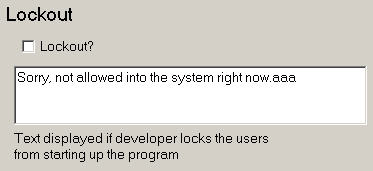
Check this option to display the lockout message for the users. The Auto FE Updater will not copy any files and won't run the application . This allows you to do things such as make changes to the backend database file or run a compact and repair. You will need to ensure users exit the Access application if they are already in it. The text to be displayed can be left in the configuration file. It will only be displayed when the Lockout checkbox is checked.
|
 Granite Fleet Manager
- the best designed fleet maintenance tracking and
management system available
Granite Fleet Manager
- the best designed fleet maintenance tracking and
management system available
| Contact | Search | Site Map | FAQ | Tony's Main Microsoft Access Page | Privacy Policy |
Website copyright © 2001-2018 Tony Toews |
 This
screen is obsolete and no longer exists as of version 3.20 as the
toolbar icon on the
This
screen is obsolete and no longer exists as of version 3.20 as the
toolbar icon on the