 Auto FE Updater Auto FE Updater
 | Home Basic Info Download About |
| Basic Info Wizard Update Config File Forms Enterprise Edition |
Update Configuration File - User Setup Email - 2
Email Body - HTML Note: If you are testing the Clipboard - HTML format option it won't paste into Notepad. You must use Microsoft Word or other software that understands HTML formatted data in the clipboard. Chances are that the Clipboard - Text format option won't be formatted properly for the recipient. For example you will likely need to use whatever means are necessary in your email program to flag the hyperlink text as a hyperlink. Otherwise the user won't be able to click on it when they receive the email. Reset Email Body to Defaults Create User Setup Email Copy Subject to Clipboard Copy Body to Clipboard |
 Granite Fleet Manager
- the best designed fleet maintenance tracking and
management system available
Granite Fleet Manager
- the best designed fleet maintenance tracking and
management system available
| Contact | Search | Site Map | FAQ | Tony's Main Microsoft Access Page | Privacy Policy |
Website copyright © 2001-2018 Tony Toews |
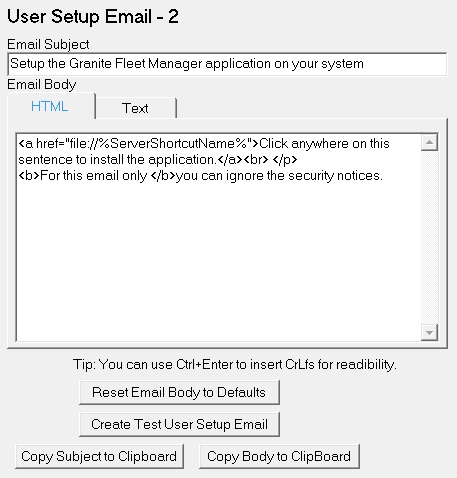 Email Subject